
Learning Center · Batteries
Deye Inverter and Lithium Battery Communication: Compatible Batteries, CAN Cable Pinout and the F58 Fix
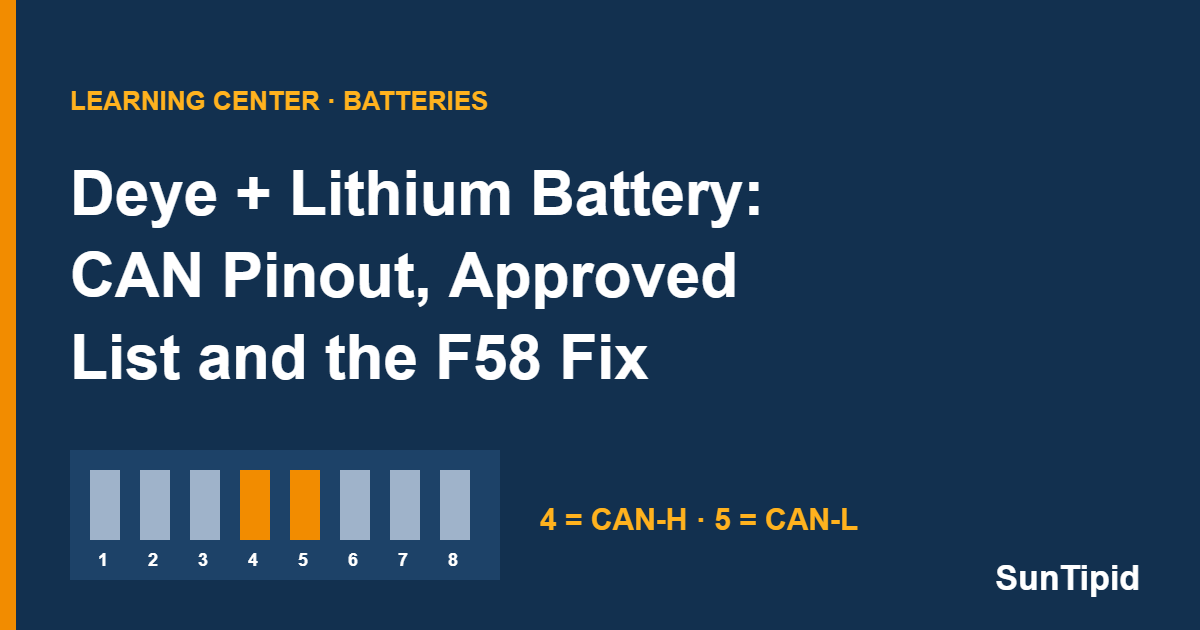
A Deye hybrid reads a lithium battery through its BMS 485/CAN port. For CAN, pin 4 is CAN-H and pin 5 is CAN-L. Set Batt Mode to Lithium and enter the Lithium Mode number from Deye’s Approved Battery list (most CAN batteries use 00). A lost link shows fault F58. Checked against Deye’s manual and approved list, and Pylontech’s own notes. Kung may F58, ito ang unang titingnan.
How does a Deye inverter talk to a lithium battery?
A Deye hybrid inverter reads a lithium battery through its BMS 485/CAN port, an RJ45 socket on the inverter. For a CAN link, pin 4 is CAN-H and pin 5 is CAN-L. You then set Batt Mode to Lithium and enter the Lithium Mode number from Deye’s Approved Battery list (most CAN batteries use 00). If the link drops, the inverter shows fault F58. This guide shows the pinout from the manuals, the setting that matters, and a short checklist for F58. Kung may F58, ito ang unang titingnan.
What is the BMS port pinout?
This is how the Deye BMS port is wired, next to a Pylontech C-series CAN port as a worked example. The RJ45 pin numbers are counted the same way on both ends.
| RJ45 pin | Deye BMS port (3.6 to 6 kW SG03LP1 manual) | Pylontech US2000C / US3000C CAN port | Same job? |
|---|---|---|---|
| 1 | 485_B | Not used (leave empty) | No: battery side stays empty |
| 2 | 485_A | Not used (leave empty) | No: battery side stays empty |
| 3 | GND_485 | Not used (leave empty) | No: battery side stays empty |
| 4 | CAN-H | CAN-H | Yes, matches |
| 5 | CAN-L | CAN-L | Yes, matches |
| 6 | GND_485 | CAN-GND | Both are ground; Pylontech’s CAN ground is here |
| 7 | 485_A | 485A (on the RS485 port only) | RS485 only |
| 8 | 485_B | 485B (on the RS485 port only) | RS485 only |
- The CAN pair is pins 4 and 5 on both the Deye port and the Pylontech CAN port.
- Pylontech says pins 1 to 3 on its CAN and RS485 ports must stay empty. A cable that carries them can hurt communication quality, so use the cable made for your battery, or a cable built only with the pins your battery needs.
- The Deye BMS port also carries RS485 on pins 1, 2, 7 and 8, which monitoring devices can use. SolarAssistant warns that if a splitter or cable sends those RS485 pins to the battery as well, the battery may read them as something else and disturb communication.
Which batteries has Deye approved?
Deye publishes an Approved Battery list for its low-voltage single-phase hybrid inverters. In the October 19, 2026 edition (DY-LV48-0132), each battery row shows how it connects (CAN or RS485) and the inverter setup number to enter. Most rows say CAN and 00. A few RS485 batteries use other numbers.
- On the list: Deye’s own batteries (SE-G5.1, SE-G5.1 Pro-B, RW-F16 and more), Pylontech (US2000B, US3000C, US5000, UP5000, Force L1 and L2), Dyness (A48100), BYD Battery-Box LV, Pytes (E-BOX 48100R) and LVTOPSUN LVTS-512100, among many others.
- Not named in that edition: Seplos, Felicity and PowMr. Our catalog records some of these as tested with Deye by their makers, for example the Seplos Mason 314L and SUTEN-W and the PowMr POW-51.2V. That is the battery maker’s statement, not Deye’s.
- Same brand, not every size: for LVTOPSUN the list names only the LVTS-512100, so check the larger LVTS-512200 and LVTS-512300 with your supplier.
Deye’s list also says the buyer should confirm compatibility with the battery supplier, and that Deye is not liable for faults caused by communication problems. So get the pairing confirmed in writing before you pay. For catalog entries and prices, see Batteries, and for the types of battery see battery types.
Which settings matter?
| Where | Setting | What it does | Source note |
|---|---|---|---|
| Inverter: Battery Setup > Batt | Batt Mode: Lithium | Tells the inverter to expect a lithium battery with its own BMS | Deye manual, Battery Setup menu |
| Inverter: Battery Setup > Set3 | Lithium Mode: a two-digit number | Chooses the battery communication protocol. The manual says to use the number from Deye’s Approved Battery list | Manual shows 00 as the example value |
| Inverter: Battery Setup > Batt | Max A charge and Max A discharge | Caps battery current. The manual allows up to 90 A on the 3.6 kW model, 120 A on 5 kW and 135 A on 6 kW. For lithium it suggests battery Ah × 50% | Also check the battery’s own limit |
| Inverter: Battery Setup > Batt | Disable Float Charge | For a lithium battery with BMS communication, holds the charge voltage when the BMS asks for 0 A. Helps avoid overcharging | Deye manual |
| Inverter: Advanced Function | BMS_Err_Stop | When ticked, the inverter raises fault F58 and stops if the BMS link is lost. The manual says you can untick it, but then the inverter runs without BMS protection | Leave it on unless your installer agrees |
| Battery: DIP / ADD switch | Address and baud rate | Sets the battery’s communication address and RS485 speed. Pylontech changed the default on its C-series batteries | See the Pylontech note below |
The Deye manual lists these under the Battery Setup menu. Our own sizing rule keeps 20% of battery capacity in reserve, which fits the way Deye lets you set the shutdown and low-battery levels. Read the aircon runtime guide for how that reserve affects runtime.
Pylontech C-series: the switch and cable note
Pylontech issued an official statement on December 10, 2020 about US2000C and US3000C batteries. It said some modules were overcharged above 55 V because communication with the inverter was not set up correctly, which can damage the BMS. It also said:
- The ADD switch is reversed on the C-series. Where older US2000 or US3000 batteries needed all switches down, the C-series needs all up, which is also the factory default. Do not change it unless your inverter needs it.
- The communication cable’s pins 1 to 3 should be empty, and the CAN ground moved to pin 6.
- If your inverter lets you set battery voltage limits for the case when communication is lost, Pylontech suggests a charge cut-off of 52.5 to 53.2 V and a discharge cut-off of 45.5 V or higher for the US2000C and US3000C.
The statement covers the US2000C and US3000C. For a US5000 or any other model, use that model’s manual.
F58 checklist: BMS communication fault
| Check | Why | Safe for an owner? |
|---|---|---|
| Battery is on and showing normal on its own display | A battery that is off or in protection cannot talk | Yes, look only |
| Cable is in the inverter’s BMS 485/CAN port, not the RS485/METER port | The meter port is for an energy meter | Look at which socket, but leave the cable to your installer |
| Cable is fully clicked in at both ends | A half-seated RJ45 plug is a common cause | Installer |
| Lithium Mode number matches your battery’s row on Deye’s list | A wrong number gives no communication | Look; change only with your installer |
| CAN or RS485 matches the list, and the battery port matches | Battery makers have separate CAN and RS485 ports | Installer |
| Battery address and DIP switches are as the maker says | A changed ADD switch can break the link | Installer |
| Several batteries are linked in the maker’s way | Parallel batteries use link ports and one master | Installer |
| BMS_Err_Stop setting | It decides whether a lost link stops the inverter | Do not untick it to hide the fault |
If F58 returns, note the battery model, the Lithium Mode number and the cable type, then call your installer. The other Deye codes are in the Deye fault code guide.
Where does this fit in the wiring?
The communication cable is only the data link. The battery’s power cables, fuses and breaker are a separate job; see how home solar is wired and wiring basics. If you are choosing between brands, read Deye vs Growatt vs Solis.
Frequently asked questions
What battery works with a Deye hybrid inverter?
A lithium battery that Deye lists in its Approved Battery list for your inverter model, connected through the inverter’s BMS port. Most batteries on the October 2026 edition of the list (DY-LV48-0132) use CAN communication with setup number 00. Check your exact battery model and version of the list, because the list changes.
What does F58 mean on a Deye inverter?
F58 is the BMS communication fault. The Deye manual says it appears when the inverter loses its link to the battery’s BMS while the BMS_Err_Stop item is active. Check the cable, the port, the battery’s switches and the Lithium Mode number. If it keeps returning, call your installer.
Which Deye port does the battery cable go in?
The BMS 485/CAN port, not the RS485/METER port. The meter port is a separate RJ45 port for an energy meter. Plugging the battery cable into the meter port is an easy mistake and results in no battery communication.
Should I use CAN or RS485 between a Deye and a battery?
Use whatever Deye’s Approved Battery list shows for your battery. Most entries list CAN. A few list RS485 with a different setup number. The battery maker’s manual will also show which of its ports to use.
Is Lithium Mode 00 right for every battery?
No. 00 is the number for most CAN batteries on Deye’s list, but some RS485 batteries use other numbers, and the list can be updated. Read your battery’s row on the current list, and ask your supplier if it is not there.
Can I use a Seplos, Felicity or PowMr battery with a Deye?
Those brands were not named in the October 2026 edition of Deye’s approved list that we checked. Some makers state their own tests with Deye, and our catalog records that, but that is the battery maker’s claim, not Deye’s. Deye’s list also says the buyer should confirm compatibility with the battery supplier. Ask for written confirmation and a cable made for your pair.
Can I connect a 15-cell Pylontech and a 16-cell 51.2 V battery together?
No, not directly in parallel. They sit at different voltages. See our battery types guide for the 15S versus 16S trap, and keep one model per bank.
Is this safe to do myself?
The communication cable is low voltage, but the battery power cables carry high current, and wrong settings can overcharge a battery. Have an electrician or PEE review the battery wiring, fuses and settings, and follow the maker’s manual.
Pair a battery with your inverter
Open the Builder for a matched inverter, battery and wiring, or check a quote first.
Open the BuilderCheck a quoteSources and last checked
Checked November 25, 2026. SunTipid is not a law firm or an engineering firm. This is general information, not legal or engineering advice. A licensed PEE or electrician should review battery wiring and settings.
- Deye, SUN-3.6-6K-SG03LP1-EU user manual, version 2.2 (BMS port pinout, Battery Setup menu, F58).
- Deye, Approved Battery list DY-LV48-0132 (October 19, 2026).
- Pylon Technologies, US2000C/US3000C communication settings statement (December 10, 2020) and the US2000B product manual (RJ45 pin table).
- SolarAssistant, Deye 2-in-1 BMS port.
- SunTipid product catalog (battery tested lists).